Printer fix guide · Toner
The printer refuses a new toner cartridge and shows a message such as "Not compatible toner cartridge". This guide covers the safe checks that HP documents, and says plainly what we do not cover.
Quick answer
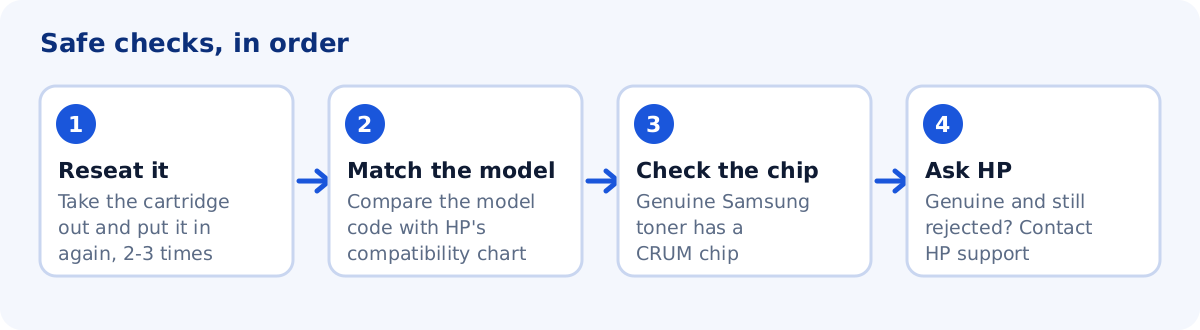
- ReseatRemove and reinstall the cartridge two or three times.
- ModelCheck it is the right cartridge for your exact printer.
- GenuineLook for the CRUM chip. HP says toner without one is not genuine Samsung toner or is starter toner.
- Still rejectedContact HP with the model and the cartridge code.
What the message means
On HP’s page for the Samsung ProXpress SL-M4020, Not compatible toner cartridge means that the indicated cartridge is not suitable for the printer. HP’s advice there is to install a Samsung genuine cartridge. The same message appears on other Samsung laser models with slightly different wording. This is different from Toner low or Toner empty, which HP explains on separate pages.
1. Remove and reinstall the cartridge
For toner that is “not detected” or “install toner” messages, HP suggests reinstalling the cartridge two or three times to confirm it is seated properly. Turn the printer off, take the cartridge out, check the contacts for dirt or packing material, and push it in until it clicks.
2. Check it is the right cartridge for your model
Samsung used different cartridge codes across similar models, and some lookalike cartridges do not fit. Compare the code on your cartridge with HP’s toner compatibility chart on support.hp.com, and use the model name on the printer’s label. Our model pages help you confirm the exact model name.
3. Genuine toner and the CRUM chip
HP has a page on how to confirm that you have genuine Samsung toner. It says toner without a CRUM chip is either starter toner or not genuine Samsung toner. HP also warns that refurbished or reconditioned toner is not guaranteed to work with your printer.
Region-locked cartridges
On HP’s community, a helper replying about a ProXpress C4060FX said the cartridge chip looked like one made for another region. HP’s documents for its own inkjet printers also say that errors can occur when a cartridge was made for a different country or region, and that HP Support can do a regionalization reset. We did not find a Samsung-specific procedure on HP’s pages, so ask HP before you try anything else.
4. Genuine cartridge, correct model, still rejected
HP’s advice when the problem persists is to contact HP customer support. Have the printer’s model name, the cartridge code and, if you moved to another country, that information ready. HP lists firmware files for Samsung printers on each model’s driver page, and our model pages show them. Update firmware only if you need it, and use the file for your exact variant.
What this guide does not cover
Common questions
Can I use a remanufactured cartridge?
HP says refurbished or reconditioned toner is not guaranteed to work with your printer. If the printer rejects it, the seller is the one to ask.
Does a firmware update fix the error?
Some forum users suggest it. HP does not describe it as a fix for this message in the pages we checked. Update firmware only if you need it.
Sources
The steps above come from these official pages.
- HP: Samsung ProXpress SL-M4020 – Understanding Display Messages
- HP: Samsung Laser Printers – How to Confirm that you have a Genuine Samsung Toner
- HP: Samsung Laser Printers – Prepare Toner or Toner Low Error Message
- HP: Samsung Laser Printers – Toner Empty or Replace Toner Error Message
User reports we read for context. These are forum posts, not official instructions.
- HP Community: Samsung ProXpress C4060FX
- HP Community: Samsung SCX-3405FW not compatible toner cartridge